Help and Frequently Asked Questions
Contents
- General Notes
- 1. Searching for an individual or family
- 2. Modifying searches
- 3. Saving searches
- 4. Filtering options
- 5. Cross-Company searching
- 6. Codes used in filters
- 7. Links
General Notes
When searching for individuals in the ROLLCO data, it is important to note that search criteria can be entered in two slightly different ways:
- Free text criteria that can be typed into search fields for names and places, for example
- Selectable ‘filter’ options used to describe social status or role, for example, where the data have been standardised
The filter options available to searchers will depend slightly upon the nature of the record being sought – whether an individual, or an apprenticeship binding or freedom admission – but by and large they work in the same way. You can select one or more of the filter options you are interested in, and all records where any of the filter criteria are met will be returned in the search results. For example if you choose to apply the Status filters of Deceased and Gentleman, then any individual who was EITHER (or both) will appear in the results.
Free text criteria allow for the ‘fuzzy’ searching of names, places and occupations and so on. These types of information have not been standardised in the ROLLCO database, so it is important to take into account possible variant spellings and abbreviations that might have existed historically when entering free text criteria. Free text criteria can be entered into one or more of the text boxes for Forename, Surname, Occupation and Location. Note that if you enter criteria into more than one of these fields, only those records where ALL the criteria are met will be returned in the results (this differs from how the filters work).
Free text searches operate as what is known as ‘partial string matches’, so you can enter only part of a term that you wish to use as a parameter. This will help with searching for names and places that may appear in the records in a number of variants or spellings.
For example, entering:
- Sam into the Forename box will find individuals with any of these forenames: Samuel, Samuell, Sam:, Saml and so on.
Similarly if you were to enter:
- Smith into the Occupation box, then you would find instances of various kinds of ‘smith’ (blacksmith, goldsmith etc.) appearing in your results.
Multiple text search terms can be entered into a single box by separating them with a comma. So, you can look for all individuals with the surname Smith or with the surname Jones by entering:
- Smith,Jones into the Surname box.
(Note that you should not leave any spaces between your search options if you enter more than one in this way.)
You can enter as many free text search criteria and filter options as you like when searching the ROLLCO records, and obviously the more criteria you use the fewer records are likely to be returned in the search results. In all searches it is important to remember that you must select at least one Company using the Company filter at the top of the Search page (both on the ROLLCO home page and on the Advanced search page).
1. Searching for an individual or family
The most common approach to viewing the records in the ROLLCO database is through a search for individuals. This kind of search can be made using the search options that appear on the Home page of the website.
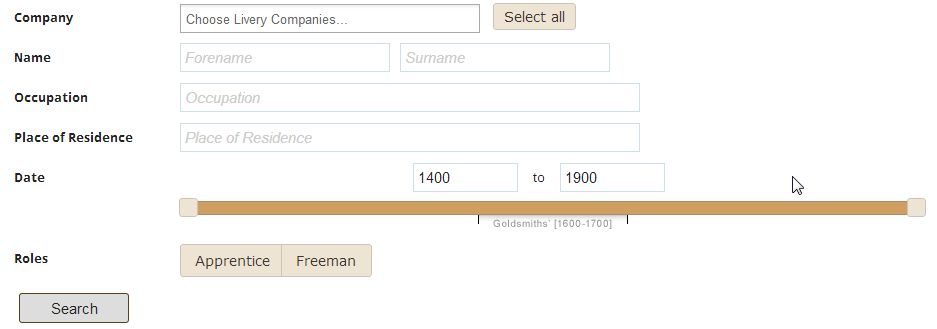
Say, for example that we wish to locate a particular member of the 18th-century Salters’ Company, Joshua Margary, in the records – we could enter our criteria in the following manner:
- Select Salters’ from the Company filter
- Enter Joshua into the Forename box
- Enter Margary into the Surname box
and then click on the Search button.
This would return all of the individuals called Joshua Margary that appear in the database – but only those whose forename and surname are spelt exactly as we have entered them. The search would find three instances which would be returned in our results.
To ensure that we found all the records of Joshua Margary we would need to be sure that we could find all of the possible spellings of the individual’s name, and to do this we could enter a slightly ‘fuzzy’ version of the surname thus:
- Select Salters’ from the Company filter
- Enter Joshua into the Forename box
- Enter Marg into the Surname box
This time we would receive four results, including one for an individual whose surname is spelled Margery in the original records.

The results page provides a list of every individual name that matches the search criteria, with summary information arranged in columns:
- Date: the year in which the person appears in the records
- Surname, Forename (Gender): the summary information about the individual. Beneath the name appears the stated occupation and place of residence of the person if it is mentioned in the original source
- Company Archive: the Company whose records are providing the information about this individual
- Event: whether the person is being named in some capacity as part of an apprenticeship binding or a freedom admission
- Role(s): the role or roles being played by the person in the event they are appearing in (every individual will have at least one role)
- Status: one or more ‘flags’ that are used in the data to describe someone’s social status and Livery Company membership (not every individual will have a status flag)
The small upward/downward arrows next to the Date and Surname/Forename/(Gender) columns can be used to sort the records chronologically and alphabetically, respectively.
Beneath each listed individual is a link called Event Details. If you click on this link you will be taken to a page that displays everything that is known about the apprenticeship binding or freedom admission that the individual is named in:

What you see on this page will differ between apprenticeship bindings and freedom admissions, but you will generally see the full date of the event, and a list of all of the individuals named in the event (with their roles). In this case we see that our search subject – Joshua Margary – was the person being identified as the master (with the Role of Master) in an apprenticeship event. The individual being apprenticed (with the Role of New apprentice) is named as Isaac Mazemore, whose father John was a tailor living in Foster Lane, London. Note that in this event we do not have any of the information which some sources provide regarding the length of the apprenticeship, any premium paid, start date and so on.
Advanced ‘fuzzy’ searching
It is also possible to use more advanced fuzzy searching techniques. For example, we might want to find everyone who is described as having the occupation of Tailor in the records. To be sure that we find every instance of this occupation, we would have to take into account the fact that there are likely to be a number of variant historical spellings of this occupation. If we entered simply T or TA into the occupation box, we would end up with every individual whose occupation began with T or TA respectively, which would almost certainly result in too many individuals whose occupation had little to do with tailoring being returned, making our search unhelpful. Instead, we could choose to enter the following as our occupational criterion:
- T*lor
Here, the asterisk stands for ‘any number of any characters’, so the search will return every individual whose occupation contains a T, followed by any number of any characters, followed by LOR – in that order, as can be seen here:
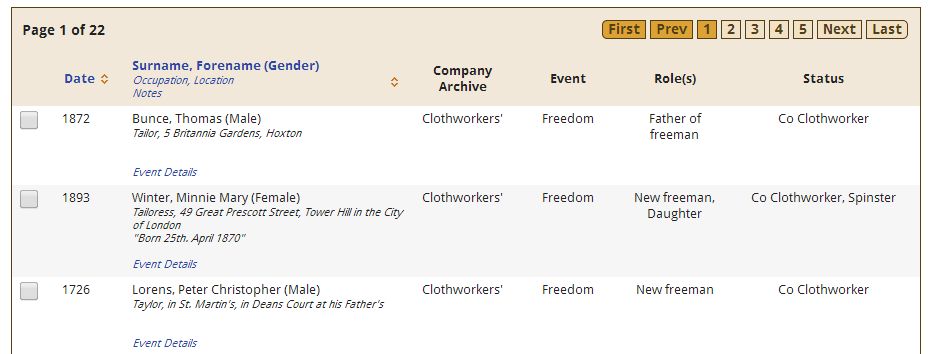
The asterisk is therefore very useful in allowing you to make fuzzy searches with a little more precision than simply typing in one or two characters as your criteria.
2. Modifying searches
Searching for an individual or a family can sometimes result in a long list of matches being returned in the search results, and so it can be necessary to modify the search to narrow down the results. You can of course choose to begin an entirely new search from the Home page or Advanced Search page, but you can also choose to modify your current search.
On the search results page you will see a number of options in the top left corner of the page:

Underneath the text “You searched for:” are a list of the search criteria you chose for the current search. You can remove any of these criteria by clicking on the term you used (e.g. Joshua) and the search results will update to reflect the new criteria. Remember that you need to have at least one Company selected as part of a search.
Beneath the list of your criteria is the option to “Modify your search filters”. If you click on this link you will be taken to the Advanced Search page, where you will be able to choose from the various filtering options (see below) to narrow down your search.
3. Saving searches
Once you have found the records you are interested in, you can save your searches in a number of ways.
Firstly you can 'Bookmark' the results of a search via the link that appears at the top of your results page. When you click on the Bookmark function, a persistent URL is generated (in the address bar of your browser) which you can add to your favourites, or copy and paste into a document, or turn into a shortcut. Adding this URL into your web browser will always result in this set of search results being displayed.
Secondly you can export the results of your searches. For searches on individuals, you can check the tick box next to the records you are interested in and then click on the Export button at the foot of the page. This will create and download an Adobe Acrobat (PDF) file containing the full event details of your selected records. Note that you will need the free Adobe Acrobat Reader software to view these exported files (the Reader can be downloaded from http://get.adobe.com/uk/reader/).
4. Filtering options
The various filtering options that are available on the Advanced Search page enable you to be precise about the search criteria you use in finding individuals. These filters can be employed on information which has been standardised in the records – information such as a person’s role in an apprenticeship, or the county of their residence, or their membership within a Livery Company, for example.
We could, for example, use the filters to allow us to find the freedom admissions of all individuals with the surname Margary (and its variants). To do so we would use the Advanced Search page, and enter the following criteria:

Note that in the upper part of the page we have added the Salters’ as our Company criterion, and Marg as our surname criterion. In the lower part of the page, under the Filters section, we have selected Freeman under the Role category. Note that you can check which filter options you have selected by clicking on the Summary button:
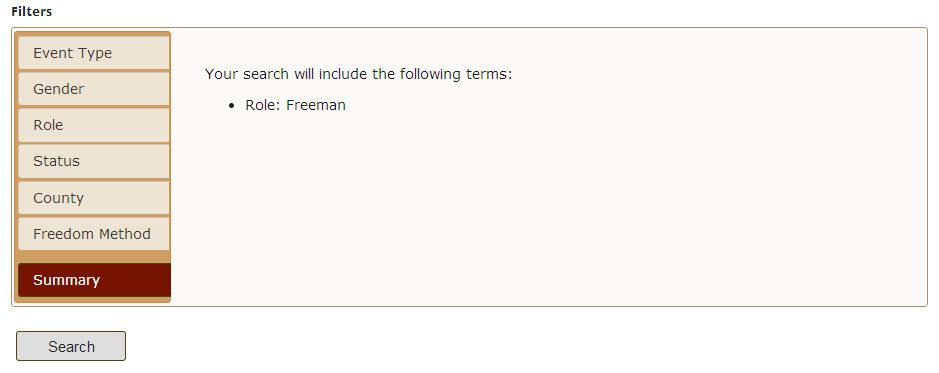
What we have specified here is that we want to see all of the records of a person with the surname ‘Margary’, who appears in an event in the role of a ‘Freeman’. It is important to be clear that the term ‘Freeman’ in the Role filters specifically refers to an individual who is the subject of a freedom admission (that is, they are the person being made free). Similarly, the Role filter of ‘Apprentice’ specifically refers to the person being apprenticed in an apprenticeship binding. In other words the Role filters (and indeed all of the filter options) are codes with specific meanings (see below).
If we run this filtered search, we would find a list of nine records in the search results. We could modify the search (using the Modify) link so that it only found female members of the Margary family whose freedom admission is recorded in the data:
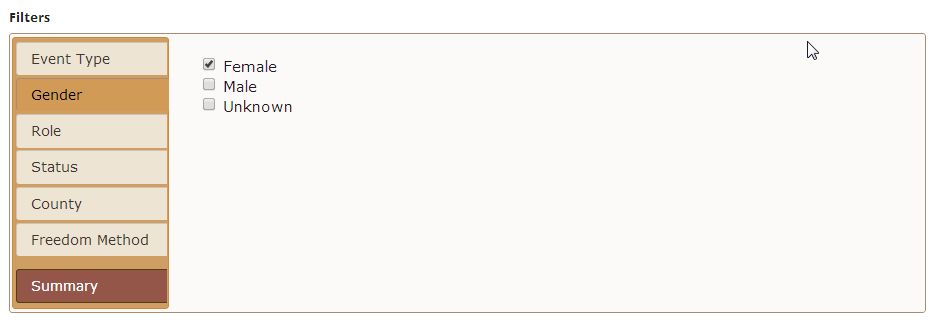
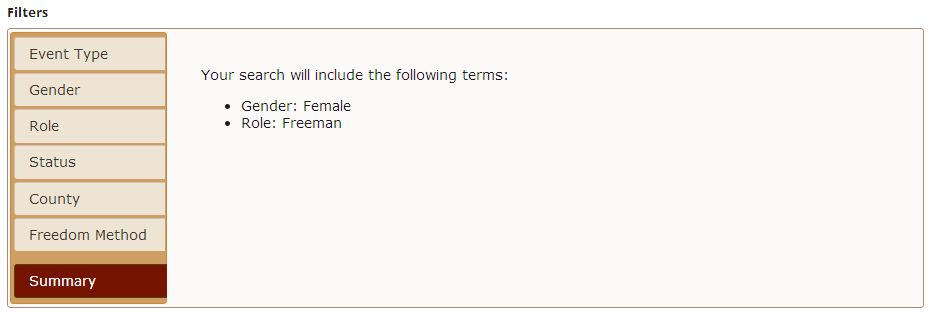
and we would receive two records in our results:
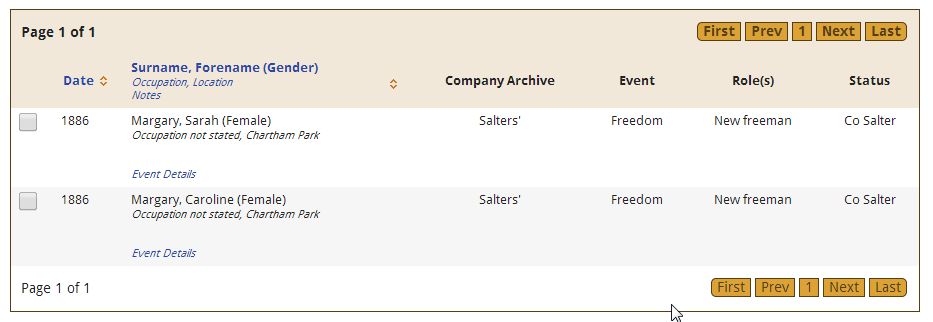
We could also use the filter options to search for, say, ‘all residents of Ireland made free of the Salters’ Company in the second half of the nineteenth century’. To do this we would need to use the Date slider to cover the period we were interested in, and then we would need to select the Role>Freeman filter option, and then select all of the County filter options which are relevant to a search for individuals living in Ireland:

This search provides us with two individuals, whose information can be checked via the Event Details link.
5. Cross-Company searching
One of the unique features of the ROLLCO database is that it allows searches across the records of multiple Livery Companies. Performing such a search is very simple: you simply need to select more than one Livery Company as the first step in adding criteria to any search.
If we were interested in individuals whose occupation is that of Tailor and whose gender is Female, and we wanted to search across the records of all of the ROLLCO Livery Companies, we would simply use the Advanced Search options to add the criteria (note the ‘fuzzy’ version of the occupation term, see above):

This search results in seven individuals being identified (interestingly most of them as ‘masters’ in an apprenticeship binding). Each result indicates the Company records within which individual is mentioned in the ‘Company Archive’ column:

Having selected more than one Company’s records for your search you are able to remove any that you no longer want via the Modify your search filters link. You can then click on the ‘x’ next to the Company name in the search criteria to remove that Company’s records from the search:

6. Codes used in filters
As mentioned above, the filtering options allow you to make searches on different aspects of the ROLLCO data which have been standardised. These options employ codes to signify different types of information falling within a number of categories:
Event Type
- Turnover: where the source of the record is a ‘turnover’, where an apprentice is turned over to a new master for some reason (often the death of the previous master)
- Apprenticeship: where the source of the record is an apprenticeship binding
- Freedom: where the source of the record is a freedom admission
Gender
- Female
- Male
- Unknown
Note that gender has been assigned to individuals according to the following hierarchy:
- If a gender is explicitly stated in the record, via a statement of a relationship (‘son of’), or a title (‘Mrs’), or a status (‘widow’)
- Failing a., gender has been assigned based on forename
- Failing a. and b., gender has been coded as Unknown
Role
- Employer: given to an individual who acts in the capacity of someone’s employer in a record
- Apprentice's Father: given to the identified father of the apprentice in an apprenticeship binding
- Freeman's Father: given to the identified father of the newly admitted freeman in a freedom admission
- Master: given to an individual who is identified as the master in an apprenticeship binding – note that this does not refer to an individual who is the Master of a Livery Company (see the Status category below)
- Apprentice's Mother: given to the identified mother of the apprentice in an apprenticeship binding
- Freeman's Mother: given to the identified mother of the newly admitted freeman in a freedom admission
- Apprentice: given to the subject of an apprenticeship binding (that is, the individual being apprenticed)
- Freeman: given to the subject of a freedom admission (that is, the individual being made free)
- Other: given to any individual whose presence in the record does not merit the assignment of any of the other Role codes
- Sponsor: given to an individual sponsoring an apprentice or freeman
- Master (Turnover): given to an individual who is identified as the new master in a Turnover event
- Witness: given to an individual acting as a witness to an apprenticeship binding or freedom admission
Status
Status codes are applied to individuals when they appear in the records with an honorific or title (‘Sir’ or ‘Gent’ for example). A small number of the codes require a little explanation:
- Citizen: this is used only when an individual is explicitly described as ‘Citizen and (something)’ in the source
- Co [Company Name]: this code is used to describe explicitly stated membership of a Livery Company
- Assistant: is applied to individuals who are identified as members of the Court of Assistants within their Company
- Company Master: is assigned to individuals who are expressly identified as the Master of their Company (this is usually expressed in the past tense, however, e.g. ‘past Master of this Company’)
- Deceased: assigned to any individual who is explicitly stated as being dead (often the parent of an apprentice)
- Yeomanry: assigned to individuals who are a member of the Yeomanry of their Company (for those Companies which have such a body)
County
A simple list of standardised historical counties.
Freedom Method
A standardised list of methods by which the freedom could be obtained. Not all Companies offered all methods, the most commonly identified in the sources being Patrimony, Redemption and Servitude.
7. Links
London Apprenticeship Abstracts, 1442-1850 for apprentices in other London Livery Companies (predominantly minor Companies)
http://www.origins.net/Help/aboutbo-lonapps.aspx
Apprentices of Great Britain, 1710-1774
http://www.findmypast.co.uk/search/apprentices-of-great-britain/
For the Inland Revenue's records of apprenticeships where tax was paid - from 1 May 1710 a tax was to be paid on all apprenticeship indentures excepting those where the fee was less than one shilling or those arranged by parish or public charities.
Introduction: Apprenticeship', in A. H. Thomas ed. Calendar of the plea and memoranda rolls of the city of London: volume 2: 1364-1381 (1929), pp. XXX-XLVII.
http://www.british-history.ac.uk/report.aspx?compid=36671
For a detailed account of the institution of apprenticeship in London's Livery Companies.